
If you looked at the Cisco software download page recently and saw IOS XE 26.1.x listed alongside a Catalyst 9300 or 9400, your first instinct was probably to check whether you had filtered to the wrong product. There is no 17.19.x. The version sequence did not break. Cisco deliberately retired the 17.x numbering and replaced it with a calendar-year-based scheme, starting at 26.1.1 in June 2026. Understanding what changed, and what it means for how you plan maintenance windows and read version strings, is worth a few minutes before you schedule your next upgrade cycle.
This article is not a feature summary for 26.1.1. It is a technical explainer covering the three things the new scheme changes in practice: how to read a version number, how the Extended-Support release model works going forward, and what the security hardening behaviour change in 26.1.1 will do to existing configs if you do not audit them before upgrading.
What the new numbering means
The version format is now [calendar year].[half-of-year].[maintenance number]. The first field is the last two digits of the calendar year. The second field increments once per six-month release window. The third field is the maintenance rebuild counter, starting at 1. So 26.1.1 is: first maintenance build of the first half-year window of 2026. 26.2.1 will be the first build of the second half of 2026. 27.1.1 follows in the first half of 2027. An optional lowercase-letter suffix identifies special or accelerated builds within a maintenance cycle.
The practical consequence is that you can read the release cadence directly from the version number, without consulting a separate lifecycle bulletin. A version starting with 26.1 was released in the first half of 2026. A version starting with 27.2 will be released in the second half of 2027. This is a meaningful improvement over the 17.x sequence, where knowing whether a given release was a Standard-Support or Extended-Support release required cross-referencing a separate Cisco recommended-releases document. One important qualifier: the version number identifies the intended calendar release window per the planned cadence, not necessarily the actual GA date. Cisco's lifecycle bulletin uses February 2026 as the planning example for 26.1.1, but the actual GA date was June 3, 2026. For the precise GA date of any release, check Cisco's support series page for IOS XE 26 or the relevant lifecycle records rather than inferring it from the version number.
Last 17.x, first 26.x
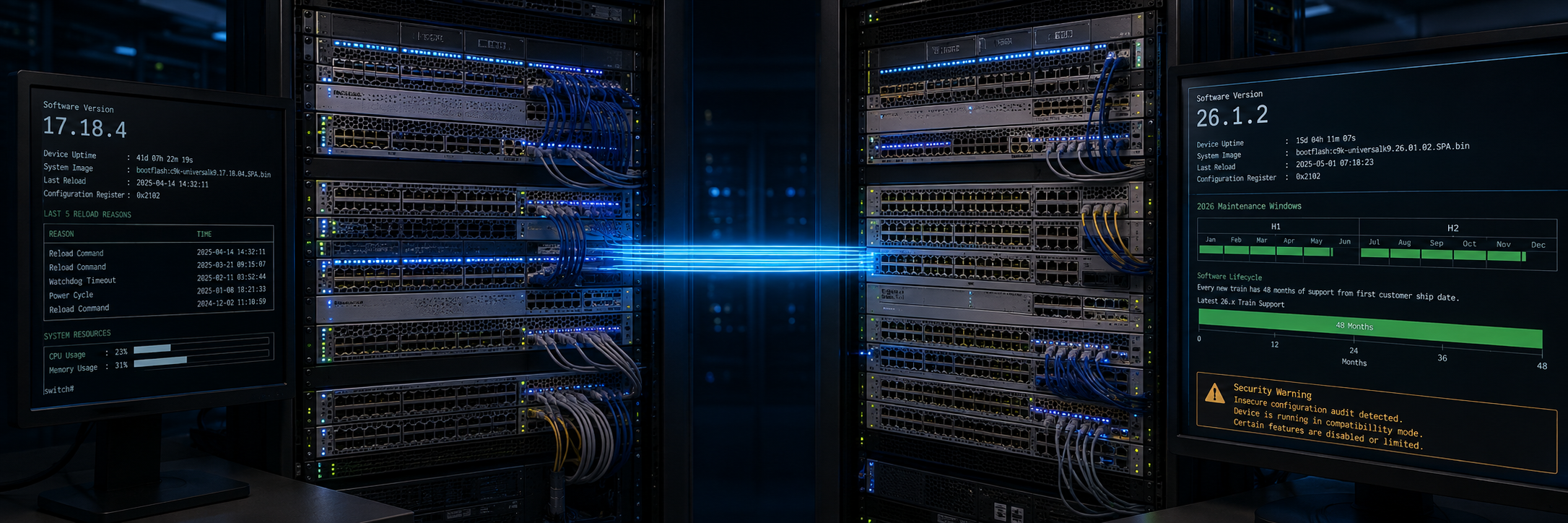
IOS XE 17.18.1 GA'd on 08-Aug-2025 and is the final release in the 17.x series. It has reached 17.18.4 in maintenance rebuilds. IOS XE 26.1.1 GA'd on 03-Jun-2026, with 26.1.2 following on 05-Aug-2026. The C9300 release notes document an upgrade path explicitly described as "from Cisco IOS XE 17.18.1 to Cisco IOS XE 26.1.1," confirming that 26.1.x is the direct successor. There is no intermediate release.
For teams not yet ready to move to 26.x, our field position at Entek is 17.15.6. In our experience it is stable in traditional (non-fabric) environments, stable in SD-Access environments, and still feature rich for the vast majority of Catalyst 9200 through 9600 deployments.
The Extended-Support release model has changed
Under 17.x, releases were split into two tiers. Standard-Support releases (17.10, 17.11, 17.13, 17.14 and others) carried 12 months of sustaining support. Extended-Support releases, published approximately every third release (17.3, 17.6, 17.9, 17.12, 17.15, 17.18), carried 48 months. Engineers who cared about sustaining support had to track that schedule and land on an Extended-Support release rather than a Standard release. In practice these are often called EM trains — community shorthand for what Cisco's lifecycle documentation formally labels "Extended-Support release" — but the terms are not precisely interchangeable, since Cisco's lifecycle milestones separately define software maintenance and vulnerability support windows. Miss the Extended-Support release and you were on a 12-month clock.
Starting with 26.1.1, the Standard-Support tier no longer exists. Every 26.x release carries 48-month sustaining support from GA — the same milestone structure that previously applied only to Extended-Support releases under 17.x, now applied universally. Cisco publishes two releases per year under the bi-annual cadence, which means you now get effectively two Extended-Support releases per year rather than roughly one every nine months. The EoL milestone schedule for each release runs: EoL announcement 12 months after GA; End-of-Sale 6 months after that; End-of-Software-Maintenance 12 months after EoS; End-of-Vulnerability-and-Security-Support 30 months after EoS; Last Date of Support 3 years after EoS. The practical consequence for planning is that you no longer need to filter release candidates by their EM classification before scheduling an upgrade. That said, lifecycle eligibility is only one release-selection factor. Selecting a production target still requires checking Cisco's recommended-release designation for your platform family, reviewing open defects and field notices, confirming hardware and feature support, and verifying ISSU restrictions where applicable. The constraint that disappears is the requirement to land on an Extended-Support release; the other release-selection steps remain.
Platform scope
The full Catalyst 9000 switching family is in the 26.x series: 9200, 9300, 9300L, 9300LM, 9300X, 9400, 9500, 9500X, 9600, 9600X all have 26.1.x release notes published on cisco.com. Routing and edge platforms are also covered: Catalyst 8200, 8300, 8500, 8000V, IR1101, IR1800, IE3x00, IE9300, and ESR6300. Catalyst SD-WAN tracks the same version numbers under the same calendar-year scheme. The Catalyst 9800 WLC is also listed on the IOS XE 26 support series page.
Upgrade path and what to check before you start
The following procedure is documented for C9300; verify your platform-specific release notes for C9400, C9500, C9600, and other platforms before proceeding. Stack, StackWise Virtual, and modular chassis platforms (such as the C9400, C9500, and C9600) have different upgrade workflows including different ROMMON behavior, install mode considerations, and ISSU support, that engineers must consult separately in the relevant platform release notes.
The C9300 release notes document an in-place upgrade path from Everest 16.5.1a or any later release, using standard install commands. If you are already on any 17.x release, no intermediate hop to 17.18 is required. The documented procedure is: install remove inactive, copy the image, install add file, install activate, reload, install commit, then verify with show version. The request platform software path is available from 16.5.1a onward and is the mandatory method for devices on 16.5.1a or 16.6.1, where the install commands are not an option; on later releases install is the current and preferred method. The 26.1.2 image filename for C9300 is cat9k_iosxe.26.01.02.SPA.bin, which illustrates how the new version number appears in image filenames.
ROMMON deserves a specific check before you schedule the maintenance window. The C9300 release notes include a ROMMON version table per maintenance release and state that the system auto-upgrades ROMMON on first boot into 26.1.x. This behavior is documented for C9300; verify the ROMMON table and auto-upgrade behavior in the release notes specific to your platform and maintenance release, rather than assuming the C9300 behavior applies universally.
Licensing is unchanged for C9300. The C9300 release notes confirm that Smart Licensing Using Policy has been the default and only supported method since 17.3.2a and carries forward into 26.x without any configuration change required. Verify the licensing section in your platform-specific release notes if you are upgrading a C9400, C9500, C9600, or other platform.
The security hardening behaviour that will surprise upgraders
This is the part of the 26.1.1 upgrade that deserves the most attention before a maintenance window. Beginning with 26.1.1, insecure CLI commands are blocked by default. The category covers legacy file-transfer protocols, weak SNMP configurations, cleartext transport, and certain password methods. The full list is documented in Cisco's Resilient Infrastructure initiative guidance.
If your running configuration contains flagged commands at the time of upgrade, the affected switch does not reject the boot or fail the upgrade. Instead, it automatically inserts system mode insecure into the configuration to prevent a service outage. The C9300 and C9400 26.1.x release notes both confirm this behavior with identical wording: "In Cisco IOS XE 26.1.1 release, all insecure CLI commands are blocked by default … the system mode insecure command is automatically added to your configuration to prevent service disruption." The behavior is also documented on Cisco's platform-generic insecure feature restrictions page. That automatic insertion keeps the device running, but system mode insecure is flagged for removal in a future release. You are not in a stable state; you are in a temporary compatibility mode that needs to be resolved. Engineers on other Catalyst platforms should verify their specific platform's 26.1.x release notes for identical confirmation before upgrading.
The practical pre-upgrade step is to run show system insecure configuration, introduced in 17.18.2, on every device before the maintenance window. This command identifies any running configuration that will trigger the automatic system mode insecure insertion. Remediate those configurations before upgrading, and you avoid the implicit mode entirely. Post-upgrade, the relevant verification commands are show system security mode, show system insecure profile, and test system secure db (Cisco's insecure feature restrictions page lists this command in its command reference table as the trigger for an immediate rescan, but uses test system secure all for the same function in a FAQ answer on the same page — verify the correct name against the IOS XE 26.x Command Reference or a live device before relying on either form).
If you are running 17.18.1 or earlier and do not have access to show system insecure configuration, the workaround is to upgrade to 17.18.2 or a later 17.18.x maintenance build first, run the audit, remediate, and then upgrade to 26.1.x. This is not a required hop in the upgrade path, but it gives you access to the audit tooling.
What to watch next
26.2.1 is the second 2026 release, targeting approximately August 2026 per the lifecycle bulletin. Some platforms (the Catalyst 9550 Smart Switch, for example) already show 26.2.x release notes on cisco.com. Engineers on a scheduled maintenance cycle should plan around the February/August cadence. Cisco will publish individual EoL bulletins for each 26.x release 12 months after its GA date, following the same pattern as Extended-Support releases under 17.x.
Our Experience
At Entek IT, we are working through the upgrade planning cycle with a number of customers who have Catalyst 9000 estates currently on 17.12.x and 17.15.x. The version numbering change itself is not causing confusion once explained, but the security hardening behaviour change in 26.1.1 is a genuine pre-upgrade task that needs to be factored into change management planning. Running the show system insecure configuration audit on production switches before a maintenance window is a step that cannot be skipped, particularly on older deployments where SNMP v2 or legacy file-transfer methods are still in use.
The elimination of the Standard-Support tier is, in our view, the more significant structural change for most customers. It removes the release-selection step that previously required explaining why you skip certain releases and only target Extended-Support releases (the EM trains, in the shorthand most engineers use). As noted in the lifecycle section above, that part of the conversation is simplified, but lifecycle eligibility is only one of the release-selection factors, and the rest of the process remains.
If you are planning an upgrade from 17.x to 26.x and want to work through the pre-upgrade audit or the upgrade path specifics, feel free to reach out to our team at Entek IT.